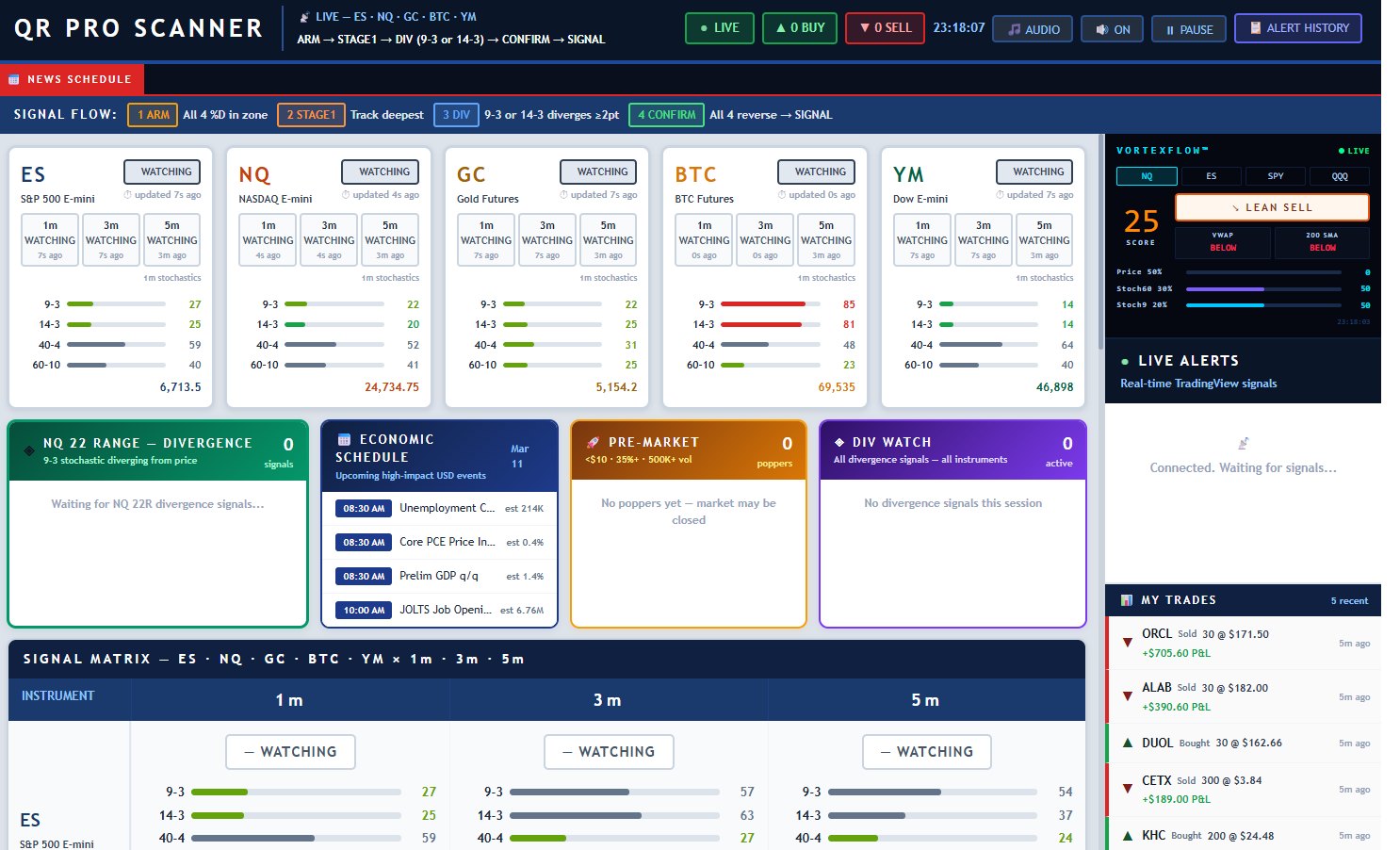
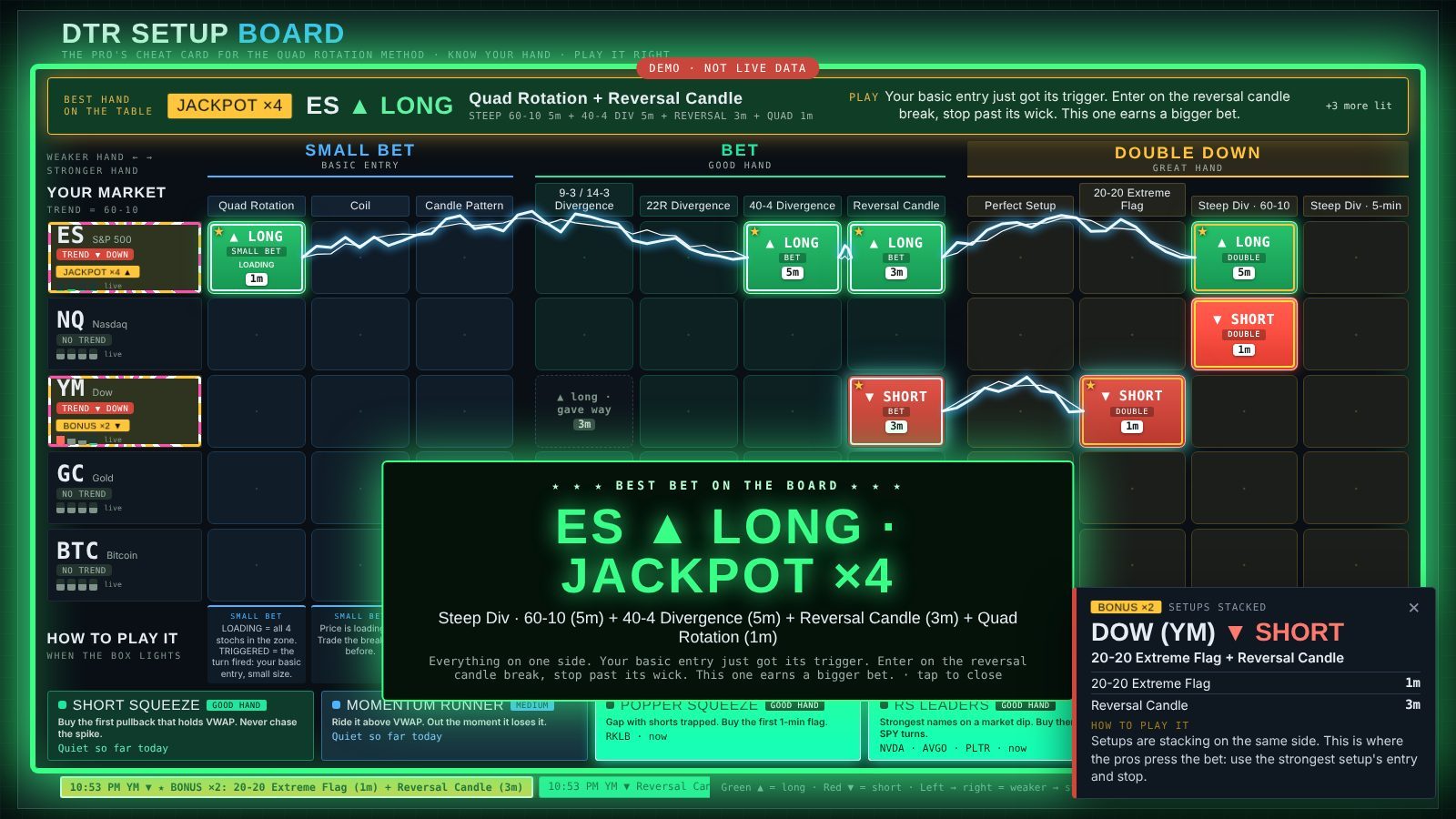
The DTR Setup Board puts the whole Quad Rotation playbook on one screen. When the QR Pro Scanner spots a setup on ES, NQ, YM, Gold or Bitcoin, its box lights up, tells you how strong the hand is and exactly how to play it.
7 days free · no card · the lights switch off on their own
The problem
By the time you flip to it, the move is gone.
Without a playbook in front of you, every setup feels the same.
Old signals hang around and fight the new ones. You freeze.
The Setup Board fixes all three. Every setup, every market, one screen, ranked like a blackjack basic-strategy card, with the play written right under it.
How it works
A pro at the blackjack table doesn't guess. He checks the card, bets small on weak hands and doubles on strong ones. This is that card for your setups.
Markets down the side, setups across the top. Weaker hands on the left, double-down hands on the right, and a one-line "how to play it" under every column.
The second the scanner sees a setup, its box turns green ▲ LONG or red ▼ SHORT, with the chart it fired on: 1m, 3m or 5m. When the setup's done, it goes dark.
When setups line up on the same side, lightning chains them together: BONUS, BIG BONUS, JACKPOT. Four or more and the whole board flashes BEST BET.

Stacking
The best trades in the Quad Rotation method are stacked trades: a quad rotation with a divergence, a divergence with a reversal candle. The board finds those for you.
Powered by
The board's lights come straight from the QR Pro Scanner: live 9-3, 14-3, 40-4 and 60-10 stochastics on ES, NQ, Gold, Bitcoin and the Dow, across the 1, 3 and 5-minute charts.

What's inside
Fed by the same QR Pro Scanner that runs on the DayTradingRadio live stream.
Every setup is a small bet, a bet or a double down, so you size it right.
Entry, stop and exit for each setup, right under its box. No digging through notes.
The newest setup decides the side. Old opposite signals dim and say "gave way".
Stacked setups chain together so the best trades jump off the screen.
Full screen in any browser. Leave it up next to your charts all session.
Chimes for new hands, a zap for bonuses. Turn sound on or off any time.
Short squeezes, momentum runners, poppers, RS leaders and afternoon holders.
Get the lights
Everyone can look at the card. Here's how to turn the lights on. Start with a free week, no card needed.
Just want the Voxer trade alerts? Those are $20/month on Patreon: join on Patreon.
Already a member? Open the board, flip the LIGHTS switch and sign in with your email. No password: we email you a 6-digit code.
Prop account offer
Buy an Apex or Bulenox evaluation with the DayTradingRadio link or code and you unlock these member bonuses, free:
Prices for every account size with our codes are on the coupons page. DayTradingRadio earns a commission on these links at no extra cost to you.
Why I built it
I've been teaching the Quad Rotation method on DayTradingRadio since 2007. The thing I hear most is "I saw it after it happened." So I put the whole playbook on one screen and wired it to the scanner, so you see the setup the moment it's on the table, with the play right under it.
It doesn't trade for you. It makes sure you never miss the hand, and you know how big to bet when you get it.
Questions
The lights switch off on their own and the card stays free to look at. No card is charged because none was asked for. Keep them on for $20/month (subscribe here), free for a month with a prop account, or included with the Patreon $50 tier or a $69.95+ DTR membership.
No. It runs in your browser. Open it full screen on a second monitor and leave it running while you trade.
ES, NQ, YM, Gold and Bitcoin futures on the 1, 3 and 5-minute charts, plus stock alerts for short squeezes, runners, poppers, RS leaders and afternoon holders.
The QR Pro Scanner, the same scanner that runs on the DayTradingRadio live stream.
The newest setup on that market decides the side. The older opposite boxes dim and say "gave way", and they drop out of bonuses and alerts, so you never get mixed signals.
Yes. Sound and Zap FX each have their own switch at the top of the board, and the board remembers your choice.
No. It shows you when a setup from the method is on the table and how it's usually played. You still make the call and manage your own risk.
Open the board, flip the LIGHTS switch and sign in with the email on your DayTradingRadio or Patreon account. Qualifying plans light up on their own.
Your seat is open
Put the board on your second screen tomorrow morning and watch the setups come to you.